One connected workspace for vehicle entry, stock numbers, labels, delivery inspections and parking locations. Enable the capabilities your dealership needs.
With supported shipping feeds, prepare stock numbers, labels and connected vehicle records before the truck reaches your lot. When it arrives, your staff can label, inspect and park the vehicles without starting the paperwork again.
Start with SmartLabels or Stock-In. Parking is included with either. The mobile app and inspections are optional.
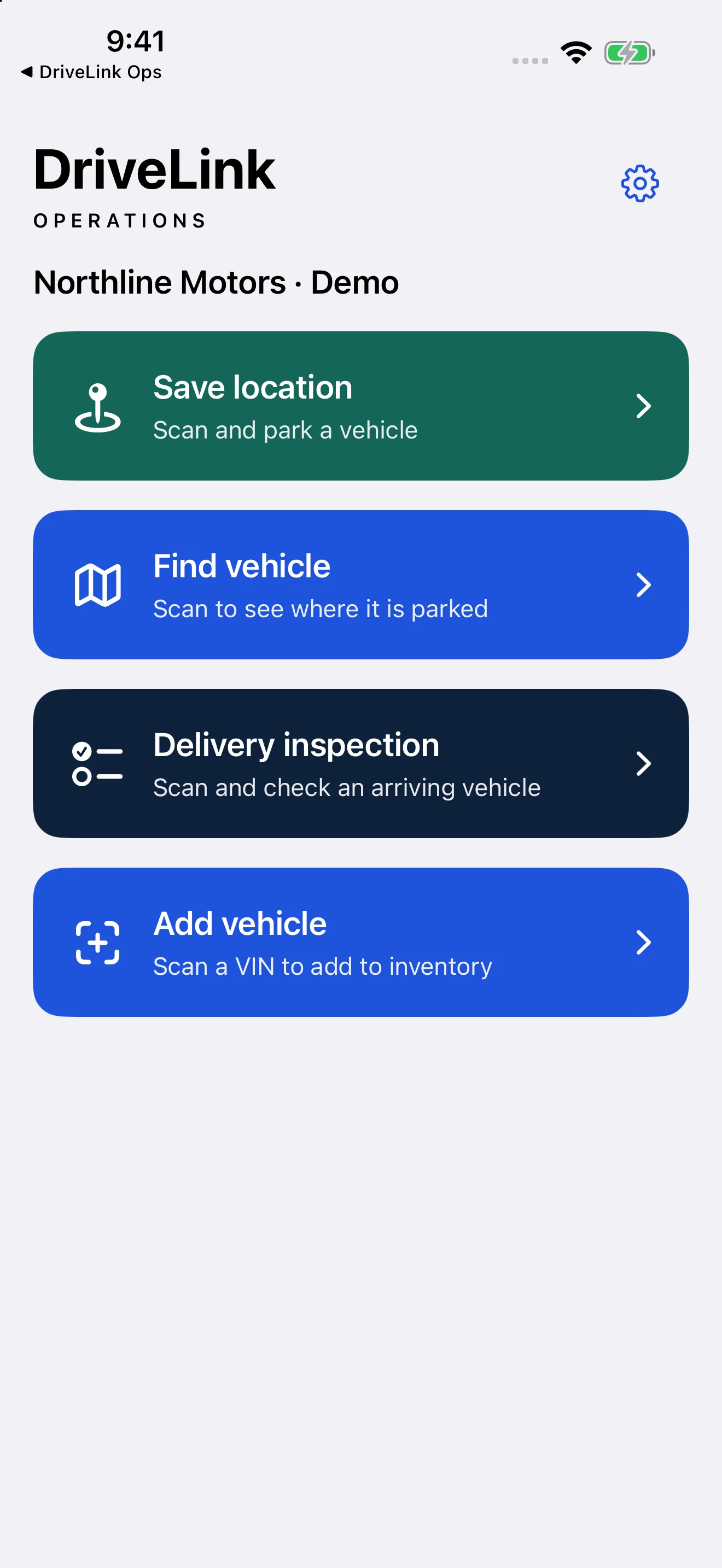
Demonstration screen with sample data.
FROM INCOMING SHIPMENT TO PARKED VEHICLE
One vehicle. One connected workflow.
A fuller Stock-In setup gets the preparation underway early, then gives lot staff a clear next step when the cars arrive.
01
Before arrival
Get the records ready.
Supported shipping feeds bring incoming vehicles into Operations. VIN decoding fills details for supported makes; your configured stock-number pattern assigns numbers while checking for conflicts.
02
Labels ready
Print the whole set.
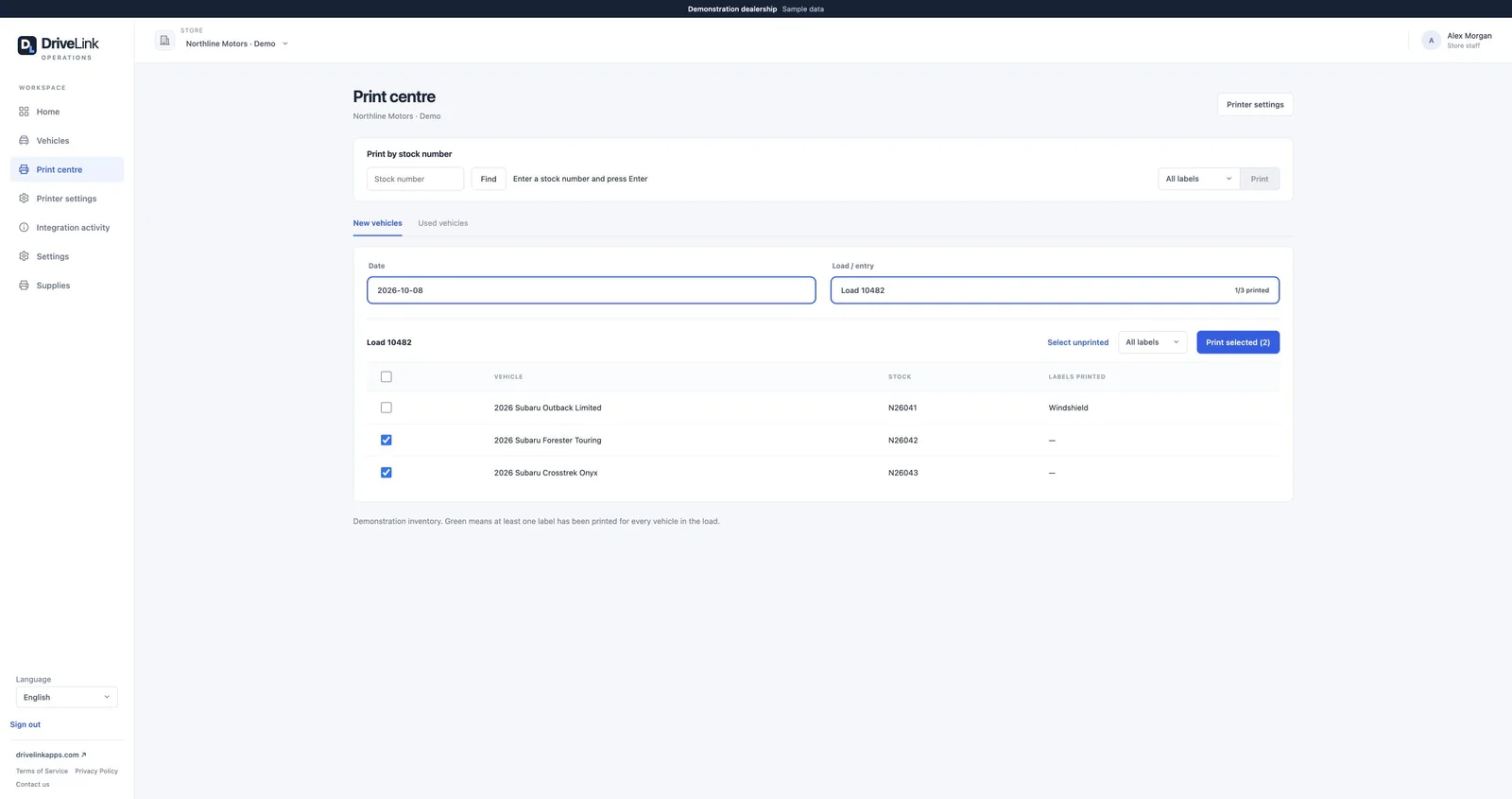
Prepare windshield, key-tag and file-jacket labels for the shipment. Stable short links let you print windshield QR labels before the online listings are available.
03
On the lot
Label it. Check it.
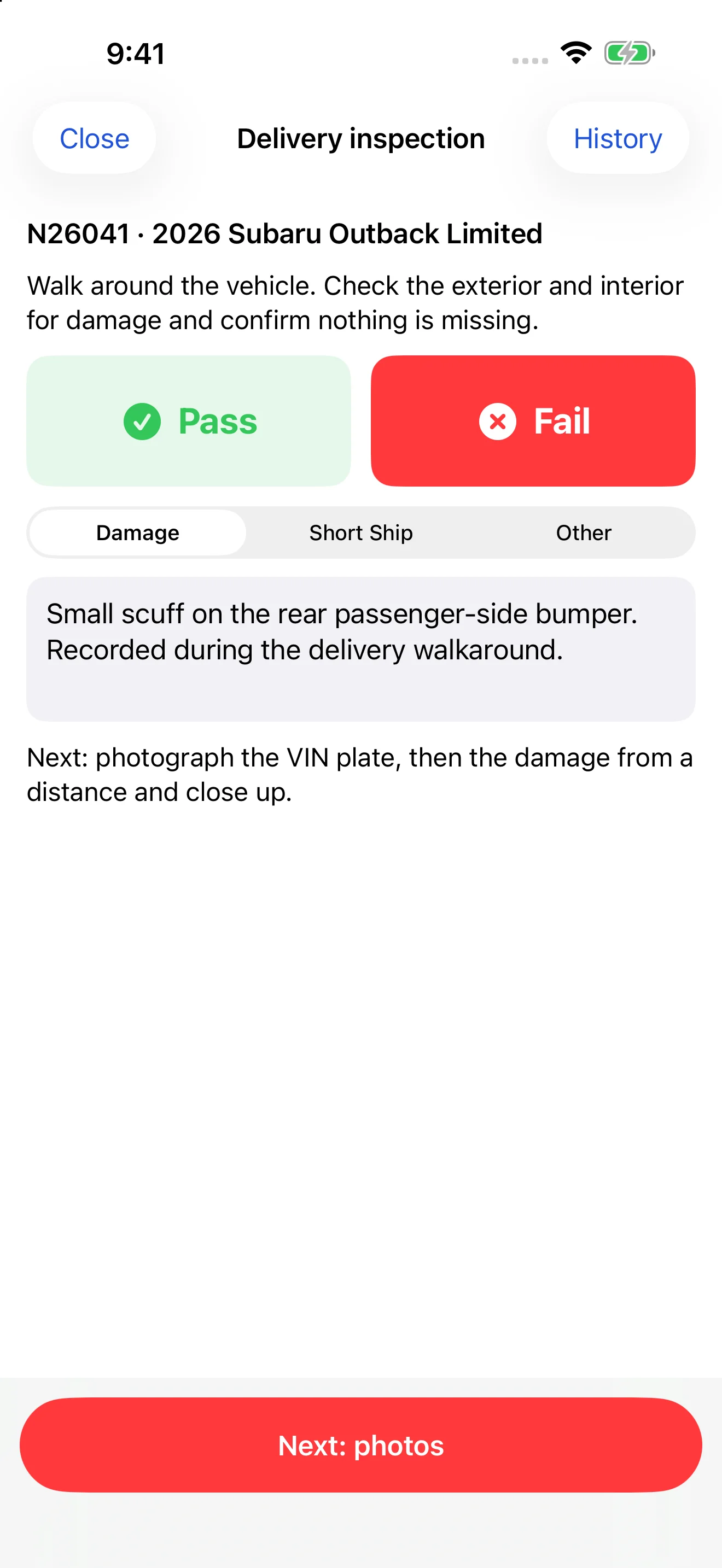
Staff apply the labels and can use DriveLink Ops for a delivery inspection. Record a pass or fail, describe damage and capture photos on the spot. Inspection reports are available as downloadable PDFs in the portal.
04
Connected records
Keep the systems in step.
With a supported integration enabled, create vehicle inventory in the DMS. Optional DMS arrival updates can follow inspection. Supported key-system connections help prepare the vehicle records your team needs.
05
Parked and findable
Save the spot for the next person.
Scan and save the parking location. Operations identifies the named row or area from configured boundaries, so colleagues can find the saved pin and notes.
This is a configurable workflow, not a mandatory sequence. Printing never requires the mobile app or a completed inspection. Integration availability and timing depend on your dealership’s setup.
ONE PRODUCT. YOUR WAY OF WORKING.
You don’t need every feature.
Choose the capabilities that fit your dealership today.
SMARTLABELS WORKFLOW
Your website inventory. A labelled, findable lot.
Connect a supported website inventory feed.
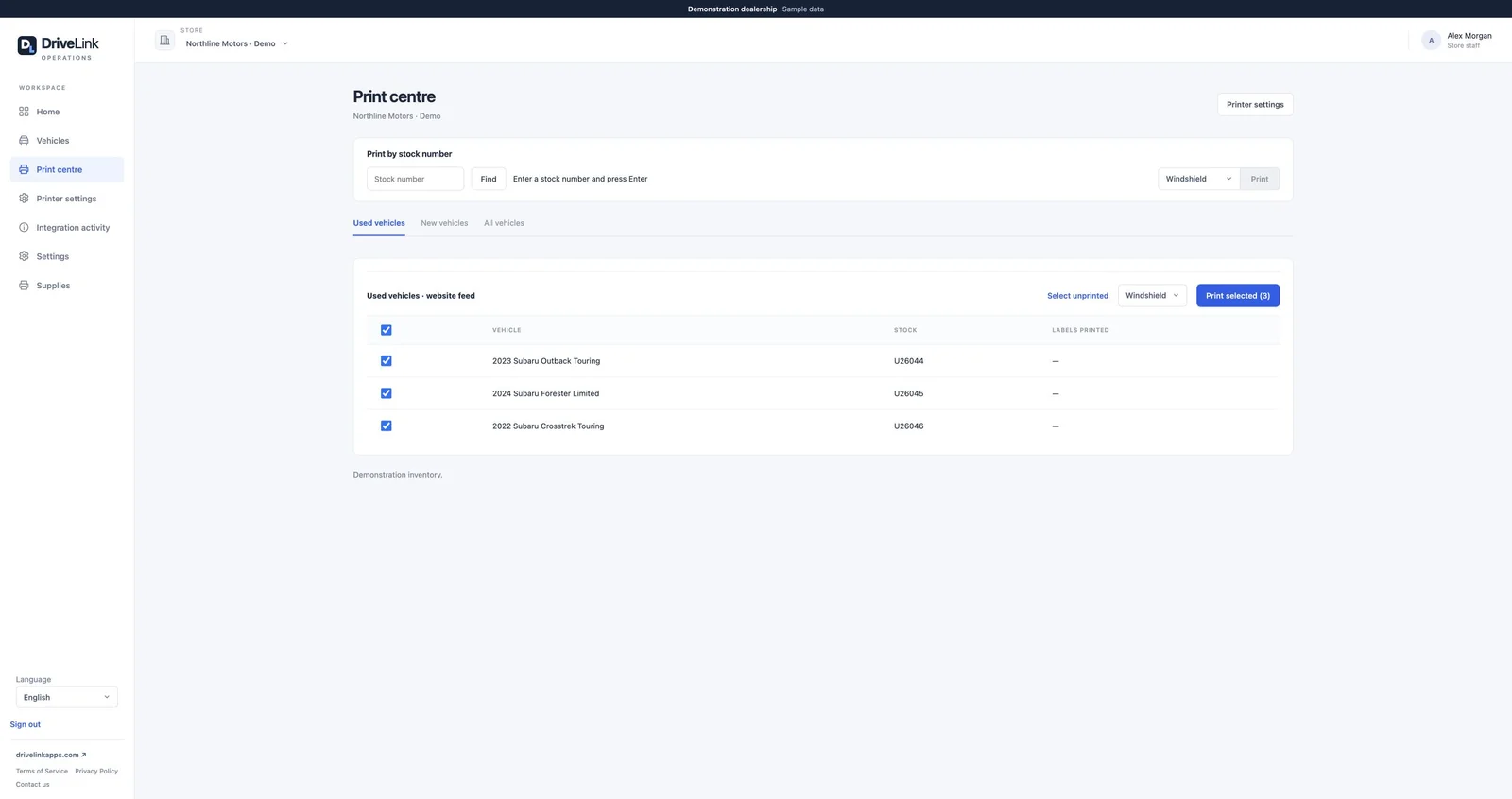
Choose vehicles in the Print Centre and print windshield QR labels.
Apply the labels. Shoppers scan with their phone to reach current pricing, photos, and details.
Use the included parking tools to save and find vehicle locations.
No shipping feed, DMS integration or delivery inspection needed.
SmartLabels uses stable short links that can be printed before a vehicle’s online listing appears. When the supported website feed supplies the listing, the same link automatically leads there. No new label just because the listing or price changes.
Labels for the way your team works.
Stock-In customers can also print key-tag and file-jacket labels. Customizable Zebra templates and print history keep label preparation together.
A text-message option, too.
Optional English-language SMS labels let shoppers request the vehicle link by text. Direct-link QR labels remain available.
PARKING INCLUDED
Know the row. Not just the location.
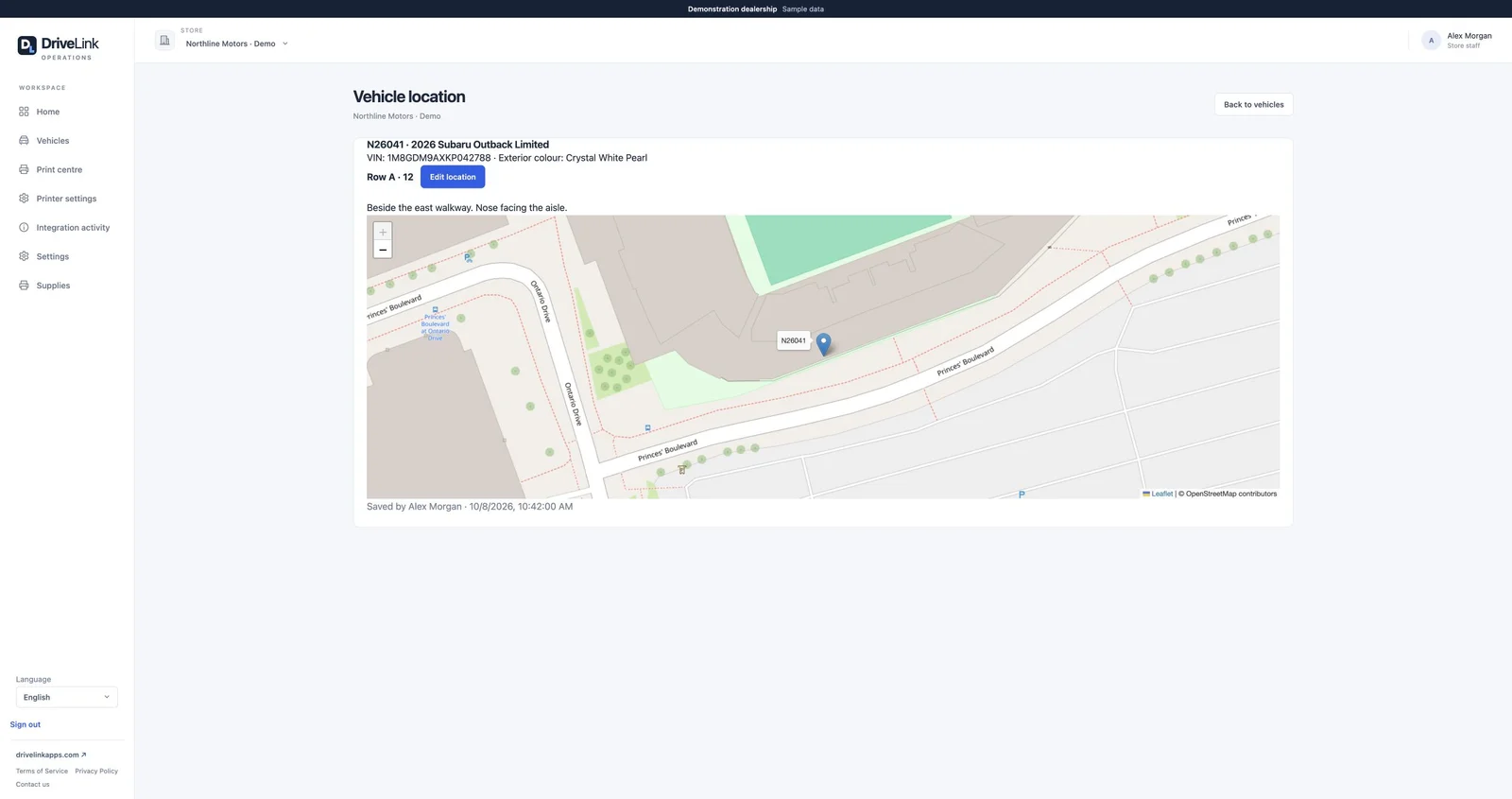
Scan a VIN or supported DriveLink label to save or find a vehicle. See its saved map pin and notes. Configured boundaries automatically identify the named parking area or row when staff save the location.
Demonstration screen with sample data.
Park now. Match inventory later.
Staff can park a vehicle before it appears in inventory. Later imports match the saved record and retain its location.
A saved location, not live tracking.
Save a new location when a vehicle moves. Parking tools are included with either Stock-In or SmartLabels.
DRIVELINK OPS · iOS & ANDROID
The work doesn’t stop at the desk.
DriveLink Ops is available on iOS and Android. Capture VIN barcodes or QR codes, or use camera text recognition to bring a vehicle into the workflow. Save and find parking locations while you’re on the lot.
Document delivery issues where they happen.
Optional mobile inspections capture a whole-vehicle pass/fail result, damage descriptions and photos. Administrators can download PDF reports in the portal, with optional DMS arrival after inspection.
Use the web portal on its own, or add the mobile app for your lot team. Neither the app nor an inspection is a prerequisite for printing.
Demonstration screen with sample data.Demonstration screen with sample data.
A CLEARER VIEW FOR ADMINISTRATORS
Fewer places to look. Less to enter twice.
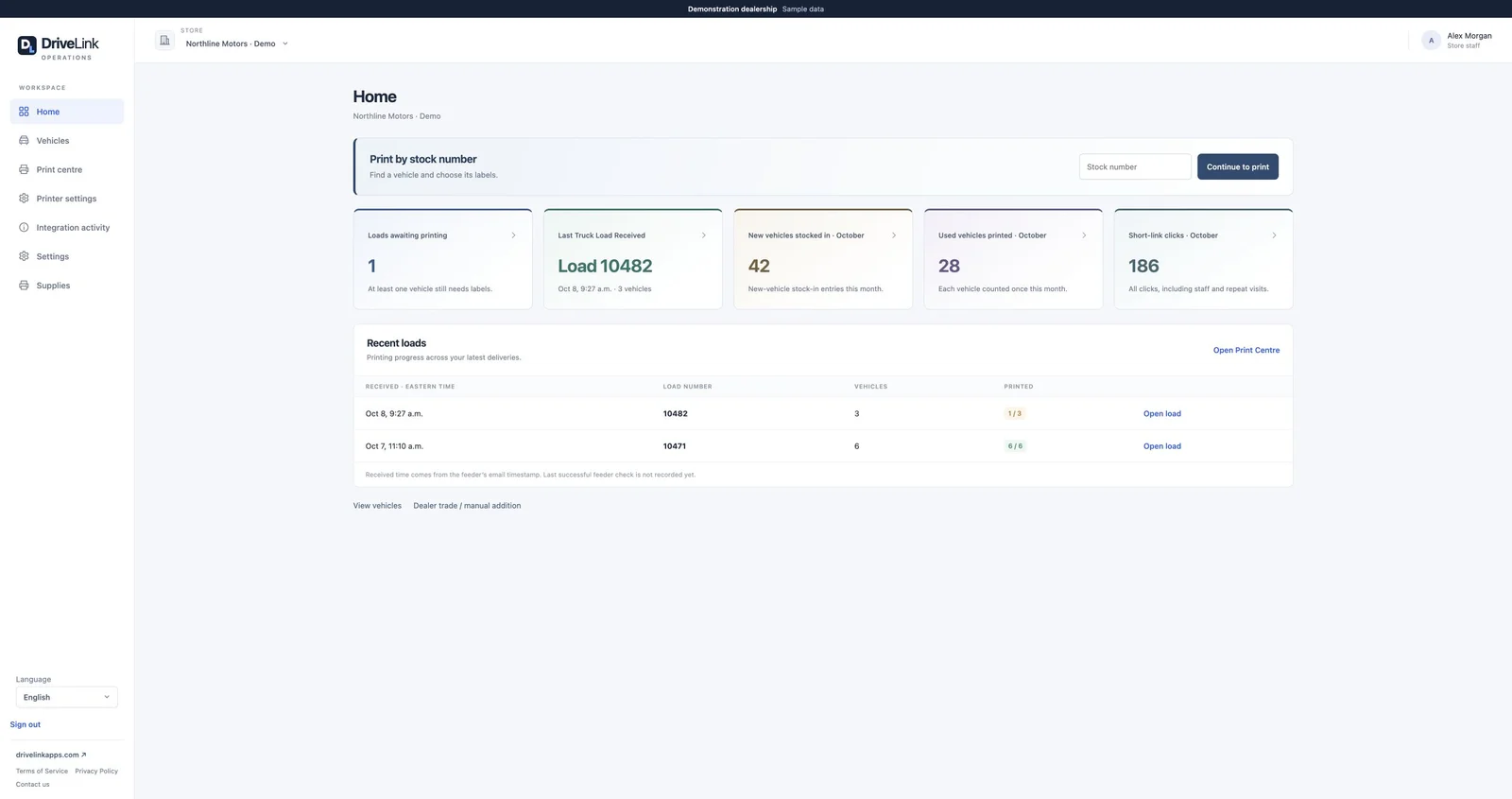
Vehicle search, printing, inspection reports, locations and supply requests live in the same portal. Useful dashboard counts show vehicles awaiting labels, recent truckloads and monthly processing activity.
Short-link counts are raw clicks, including staff and repeat visits, not unique shoppers or sales leads.
Supported connections, not another replacement project.
DMS support includes PBS. Key-system connections include KEYper Systems and KeyTrak. Confirm the supported workflow for your dealership before enabling an integration.
Keep your website inventory connected.
Supported feed connections include TRADER TAdvantage, EDealer, Dealer Inspire, Dealer.com, D2C Media and 360.Agency. Ask us about your host and feed availability.
BUILT FOR LOT STAFF AND ADMINISTRATORS
Let’s walk through your next arrival.
Start with labels and parking, or connect the fuller receiving workflow.