Schedule the ride
Organize customer pickups and drop-offs in one place, with passenger details available to dispatch.
Book the rides. DriveLink Ops coordinates pickups and drop-offs across multiple shuttles, plans each route and guides drivers through their stops in the mobile app. No manual dispatch or route planning.
Book a demo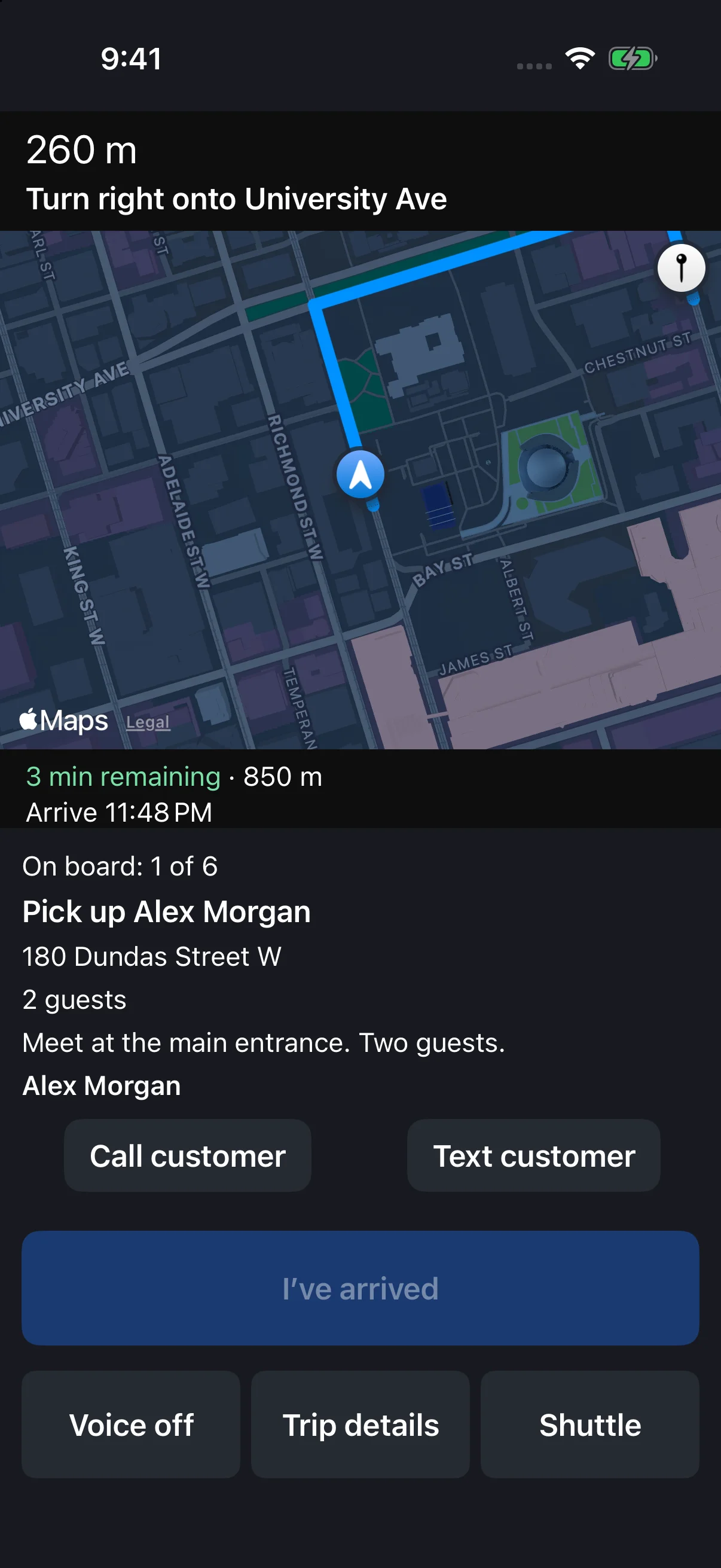
Organize customer pickups and drop-offs in one place, with passenger details available to dispatch.
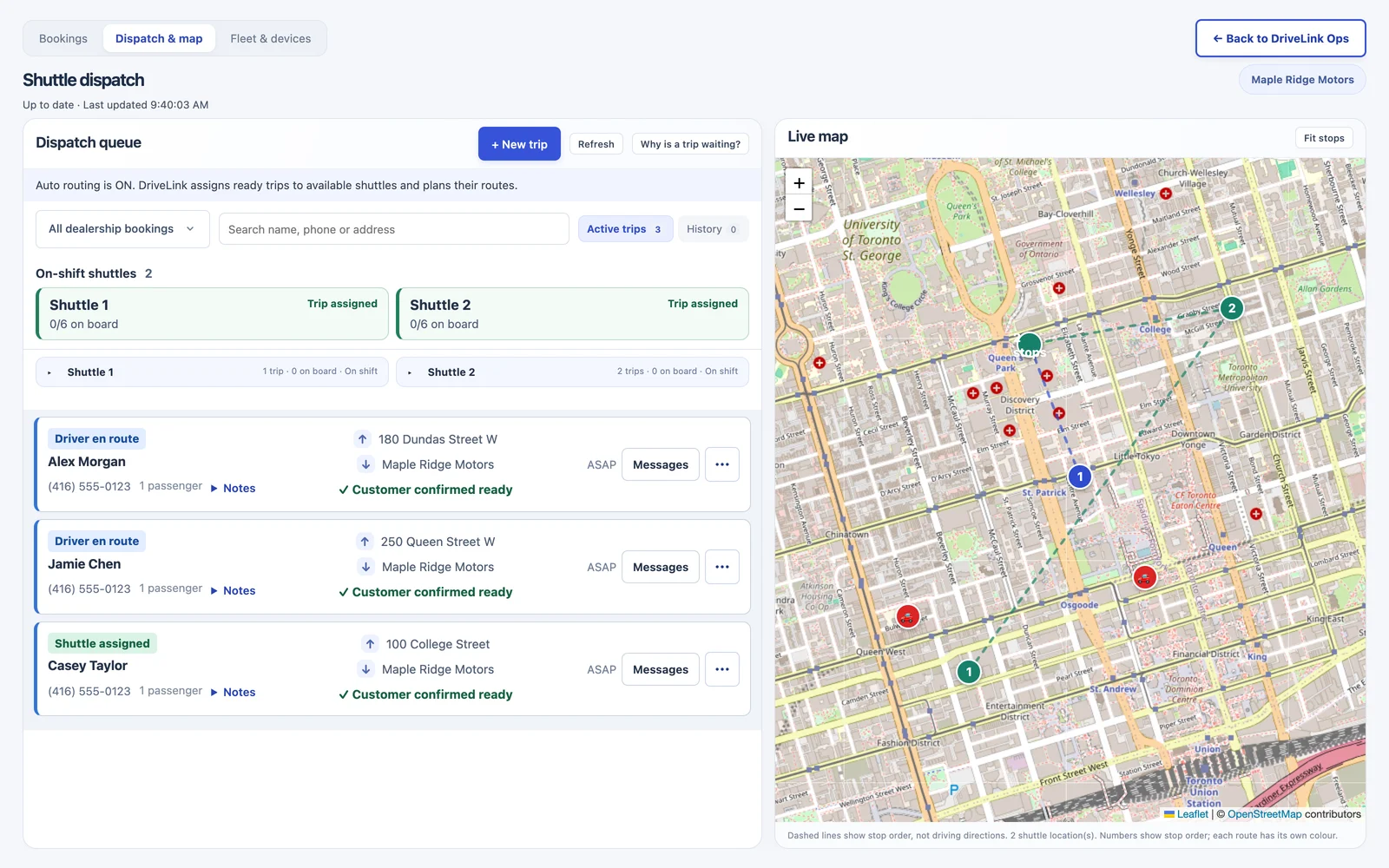
DriveLink automatically assigns rides across available shuttles and plans the pickup and drop-off sequence for each driver. Your team does not need to build routes or dispatch each stop.
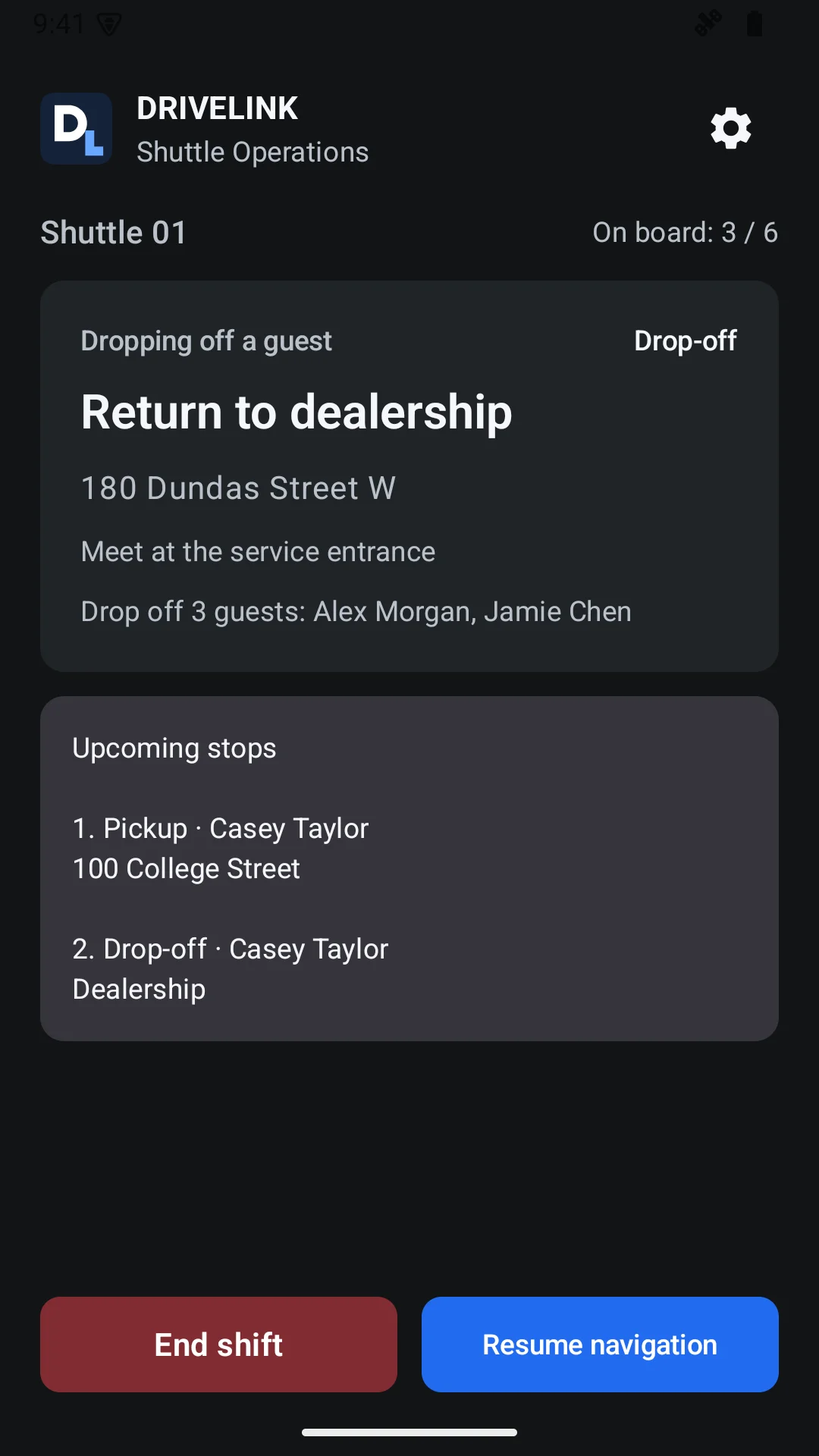
The driver uses DriveLink Ops on iOS or Android for navigation to each pickup and drop-off. Automated customer SMS keeps passengers informed along the way.
DriveLink assigns pickups and drop-offs across your shuttles and plans the stop sequence. The portal shows your team how the trips are progressing.
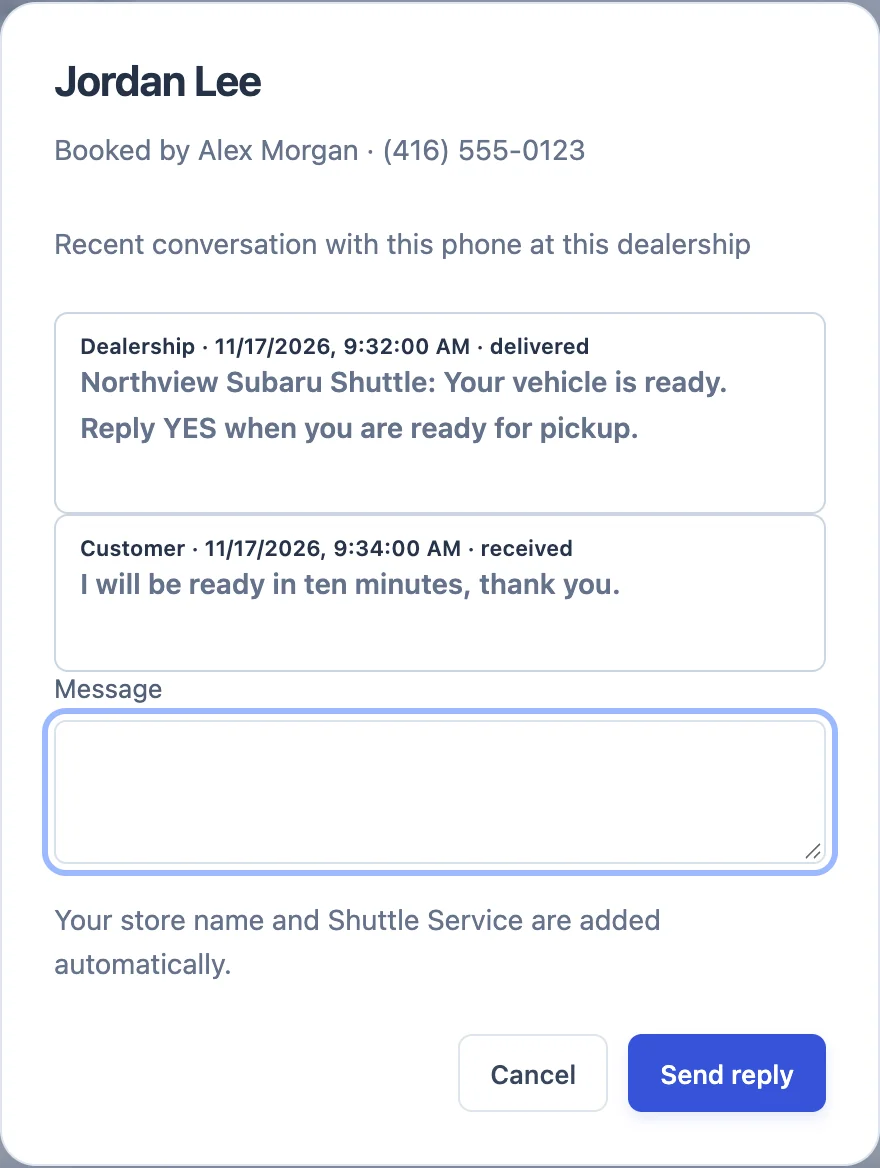
Review customer replies alongside their booking, so dispatch has the context to coordinate the pickup.
Drivers see where to go next in DriveLink Ops. They follow the route, record passenger boarding and complete stops in the app. The portal gives your team visibility into trip progress and active-shift locations, without manually coordinating each shuttle.
DriveLink Ops connects your office and mobile teams. Enable the modules your dealership needs, with access managed for each employee.
No mobile passwords to remember. Available on iOS and Android.