Scan. Save. Park.
Use the lightweight iOS or Android app to scan a QR code and save your current location as the vehicle’s parking location.
Scan a vehicle’s QR code and save your current location. Your team can find its last saved parking spot - and see whether another vehicle is blocking it.
Contact us for pricing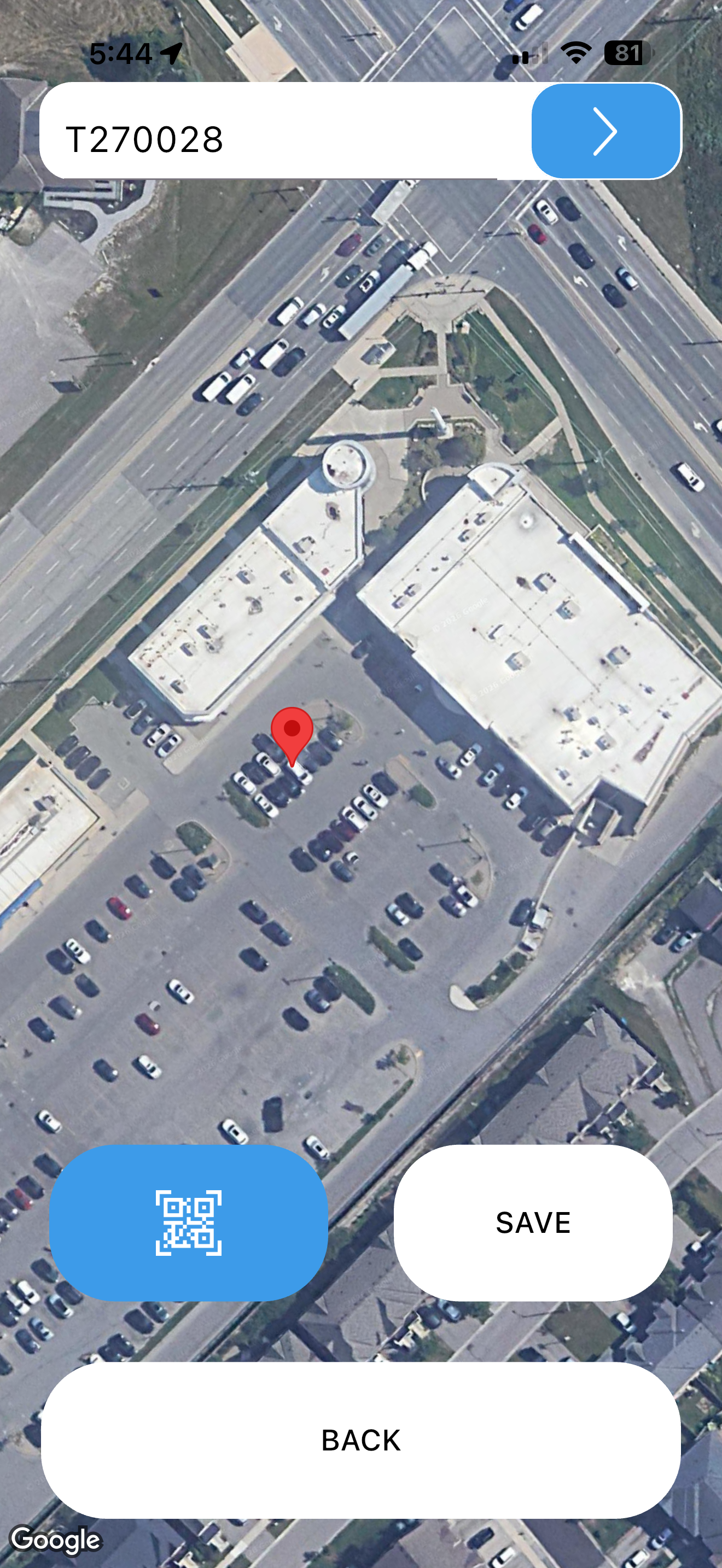
Scan the vehicle’s QR label and save your current location. Update the saved spot after moving the vehicle.
Look up its last saved location before heading out to the lot or off-site compound.
When your team records a blocking vehicle, Park warns you to bring its keys too.
Park records a location when your team saves it. It does not continuously track vehicles.
Use the lightweight iOS or Android app to scan a QR code and save your current location as the vehicle’s parking location.
Park can work with the same DriveLink QR labels used on your windshield.
A web portal lets admins view saved vehicle locations and add or delete vehicles.
Record the blocking vehicle and the vehicle behind it. When someone looks for the blocked car, they’re warned to bring the other keys.
Keep track of vehicles across crowded lots and off-site parking areas, including double-parked vehicles.
Park shows the last location saved by a team member. Scan and save again when a vehicle moves.
No. It records your device’s current location when you scan and save. The team should save a new location after moving a vehicle.
Yes. DriveLink Park has apps for iOS and Android, with a web portal for administrators.
Record which vehicle is blocking another. When a teammate looks up the blocked vehicle, Park warns them to take the blocking vehicle’s keys too.
Tell us which product you’re interested in. We’ll walk you through it and answer your questions.
Book a demo