Keys onto the prepared tags
Apply the printed key-tag labels and attach the matching vehicle’s keys. No handwritten stock numbers to decipher later.
DriveLink Stock-In prepares your incoming vehicles before they arrive. As the truck leaves the shipping yard, the workflow starts: generate stock numbers, print windshield, key-tag, and file-jacket labels, and add vehicle information to your supported DMS and key-tracking system.
Contact us for pricing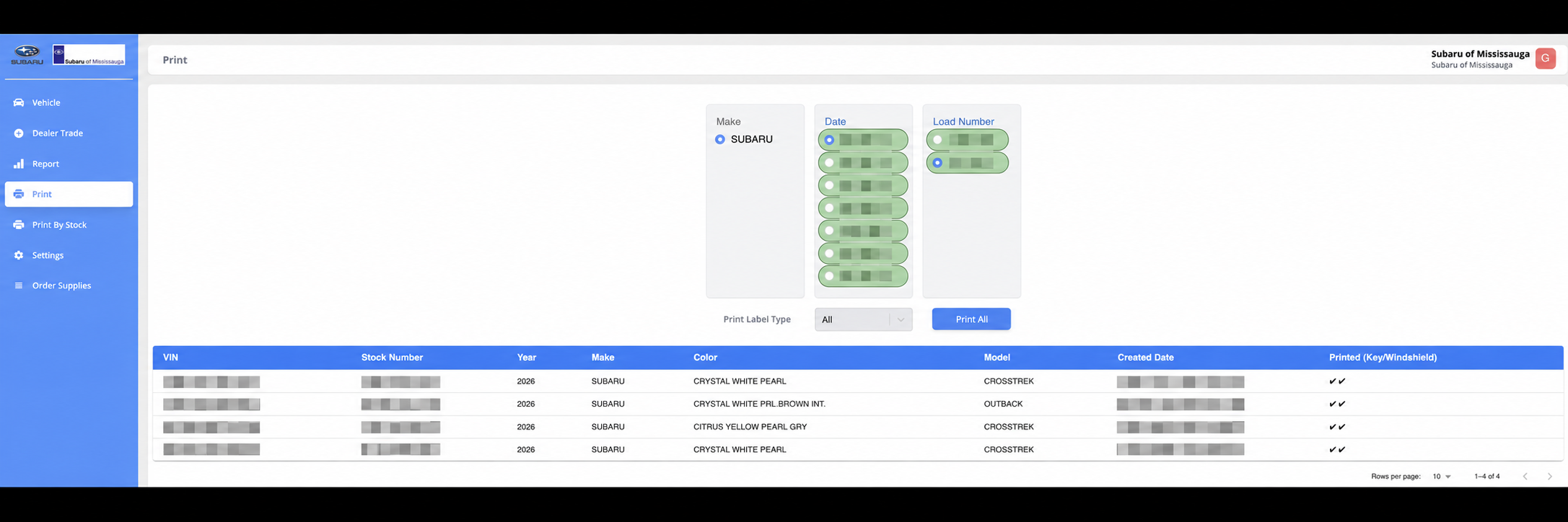
As the truck leaves the shipping yard to bring you your cars, DriveLink Stock-In starts the receiving workflow using the shipment data. Stock numbers, printed labels, and connected system records come together before your team meets the truck.
Shipping-company data feeds the queue. Decode VINs and generate stock numbers using your dealership’s preferred pattern, without retyping each vehicle.
Print windshield labels, key-tag labels, and file-jacket stickers for the shipment. The same vehicle information carries through each label.
Send vehicle information to your supported DMS and key-tracking system. Current connections include PBS, KEYper Systems, and KeyTrak.
The paperwork and system-entry work has been prepared. Match each arriving vehicle to its labels, and finish the physical handoff.
Apply the printed key-tag labels and attach the matching vehicle’s keys. No handwritten stock numbers to decipher later.
Apply the matching windshield label to the outside of the glass. The vehicle is clearly labelled for your lot team.
Use the printed file-jacket sticker to identify the vehicle’s paperwork, without writing the same information out again.
Stop writing the same stock number on multiple tags and entering the same vehicle into separate systems. DriveLink Stock-In brings those repetitive jobs into one workflow.
Clear printed labels keep the keys, windshield, and file jacket consistent. Your team spends less time copying information and more time getting vehicles ready.
Reuse the shipment’s vehicle information across labels and supported systems. Cut out duplicate typing that can introduce incorrect VINs, stock numbers, and mismatched records.
We supply the labels and the key tags, not just the software. Give your team a complete stock-in setup without sourcing each item separately.
DMS support currently includes PBS. Key-system connections include KEYper Systems and KeyTrak. Contact us to confirm your dealership’s setup.
Process a shipment and print its windshield, key, and file jacket labels.
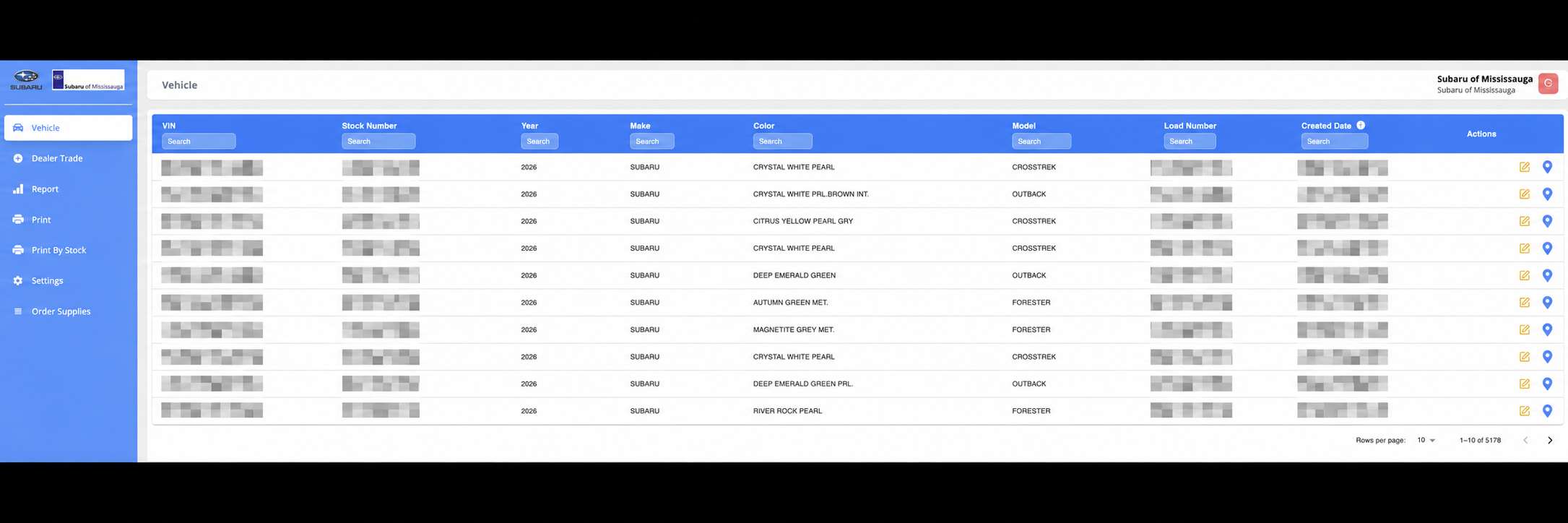
Review vehicle details and stock numbers in a single inventory list.
Incoming vehicle data flows from the shipping company into your queue, ready for VIN decoding and processing.
Generate stock numbers automatically using your dealership’s preferred pattern.
Batch-print windshield labels, key labels, and file-jacket labels for the whole shipment.
Push vehicle information to PBS, KEYper Systems, and KeyTrak. DMS support currently includes PBS; ask us about your setup.
Choose Dealer trade, paste a VIN, and add the vehicle to the same stock-in workflow.
A short URL lets you print the windshield label on day one, then connect it to the vehicle listing when it appears in your website inventory feed.
DriveLink Stock-In includes the software, windshield labels, key-tag labels, file-jacket labels, and the key tags themselves for one low monthly cost. Contact us for pricing for your dealership.
PBS is the currently supported DMS. Vehicle information can also be pushed into KEYper Systems and KeyTrak.
Yes. An admin selects Dealer trade and pastes the VIN to add it without going through the shipping-company queue.
Yes. The waterproof, weatherproof labels apply outside the windshield and remove cleanly. They can display vehicle information or provide a QR journey to the listing, directly or through SMS.
Tell us which product you’re interested in. We’ll walk you through it and answer your questions.
Book a demo